Details drift
Products, people, settings, and exclusions change between prompt versions.
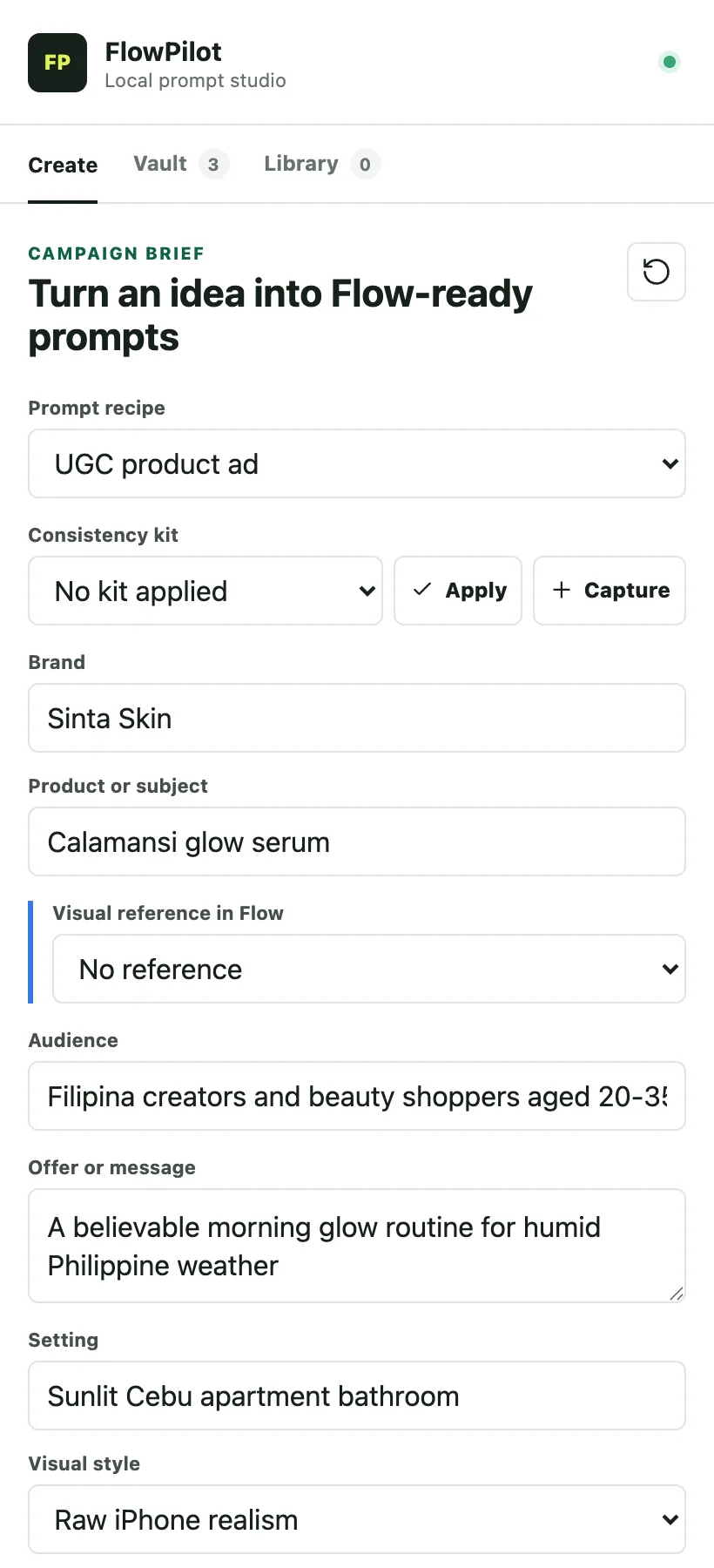
Chrome side panel · Local-first
Build reusable Google Flow prompts locally.
Turn recipes, consistency kits, and campaign fields into structured image and video prompt text, without another paid LLM subscription.
The repeat-work problem
Products, people, settings, and exclusions change between prompt versions.
One dense paragraph is hard to revise without losing the parts that worked.
Campaign decisions end up split across notes, chats, and old documents.
same bottlebright Cebu condoraw iPhone look{{product}}{{setting}}{{style}}How it works
FlowPilot stays beside your work. It prepares the prompt text; you stay in control of references, Flow, and generation.
Start with a built-in, included starter, personal, or imported recipe.
Add the brief, an optional consistency kit, and text guidance for references.
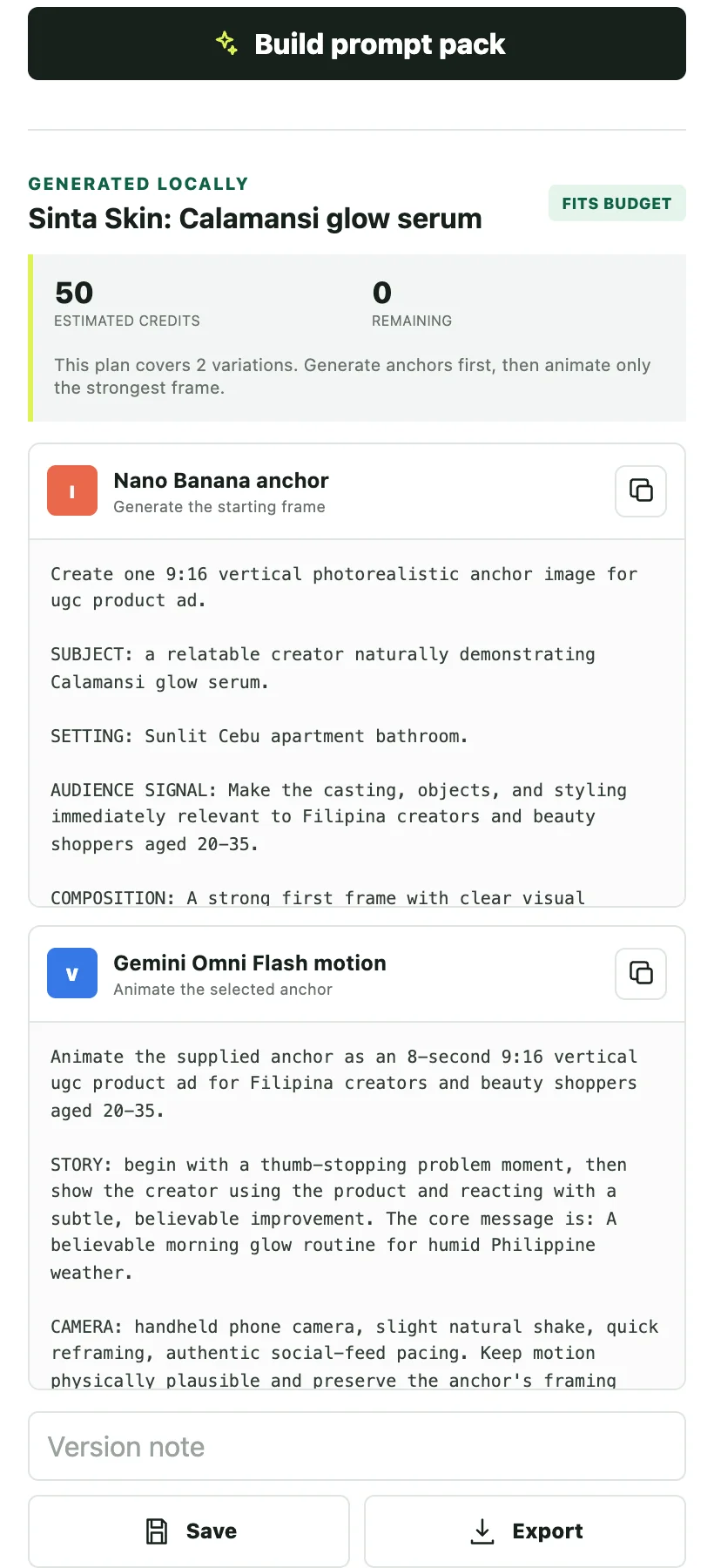
Build locally, copy the prompt, then paste and submit it in Google Flow yourself.
Product tour
See the real Create workspace, consistency guidance, compiled prompts, and saved versions. The tour is silent and fully understandable from its visuals.
Inspect each featureFeature proof
Every part of FlowPilot is built around repeatable prompt work: structure the input, preserve the right details, and keep the result available for the next pass.
Recipes
Choose a workflow, fill its smart fields, and compile clean image and video prompts locally. Reuse the structure while the campaign details change.
{{product}} + {{audience}} + {{setting}}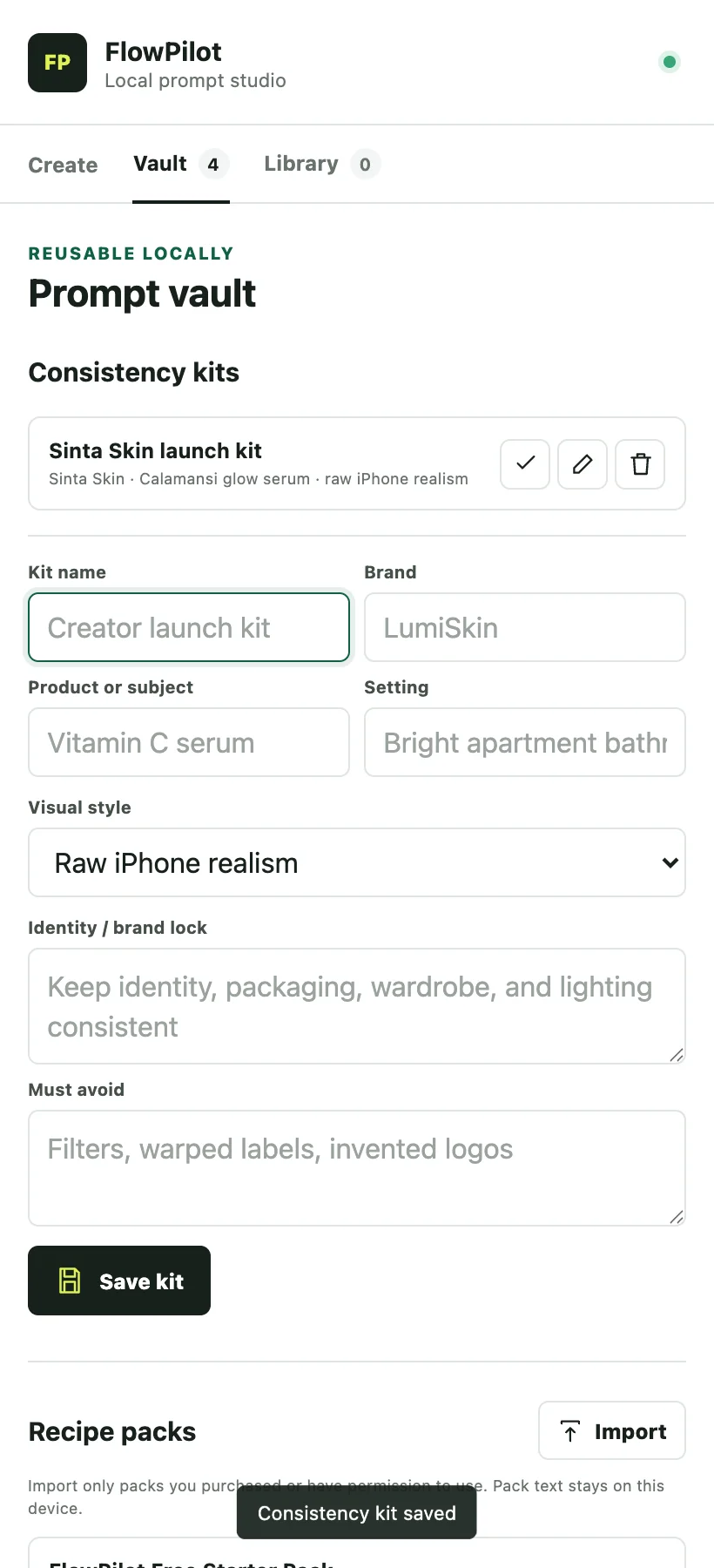
Consistency
Keep subject, product, setting, continuity, and exclusion details together in reusable kits so the details that matter do not drift between versions.
One kit. Every prompt version.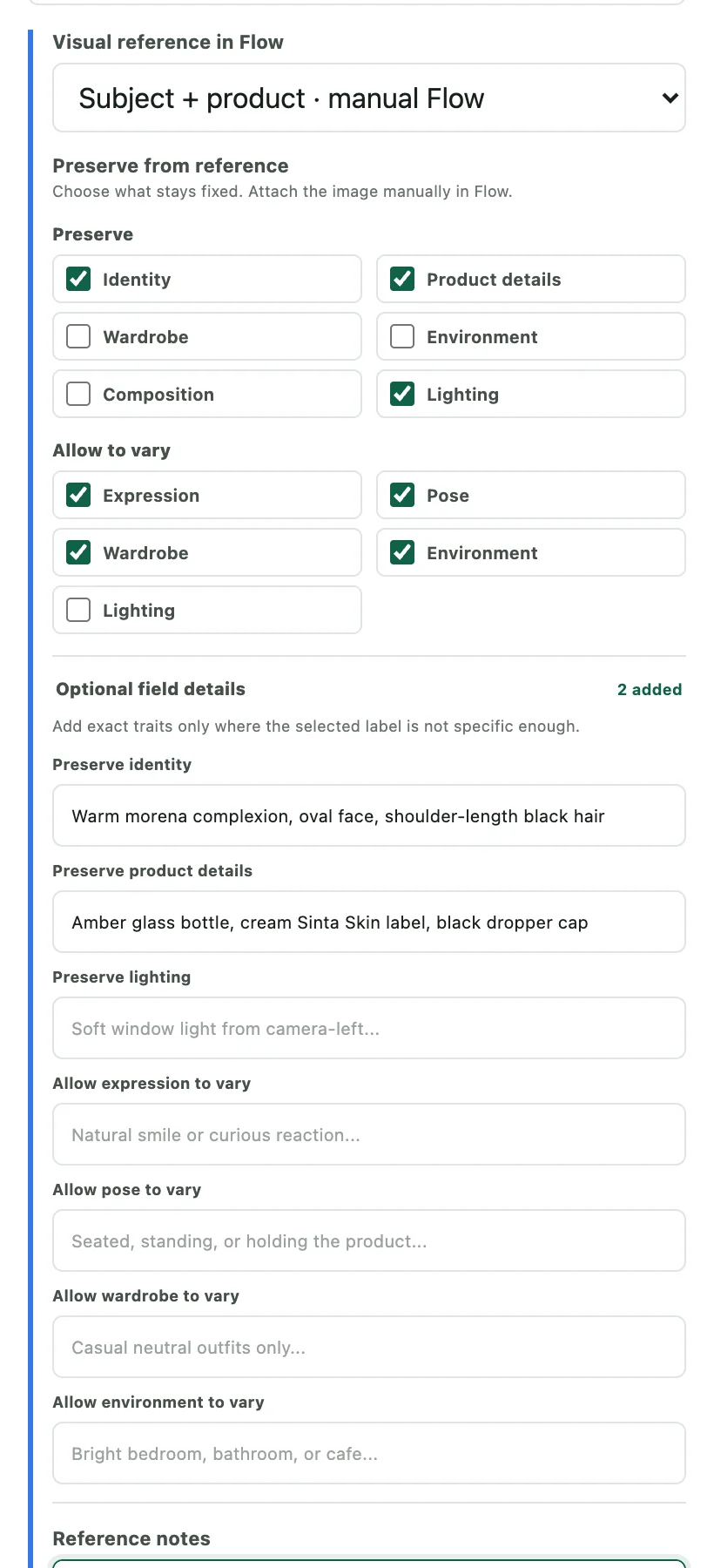
Reference guidance
Describe what Flow should preserve and what it may vary. FlowPilot copies those text instructions into your prompt; you attach the actual reference images manually in Google Flow.
Text guidance only. Images stay out of FlowPilot.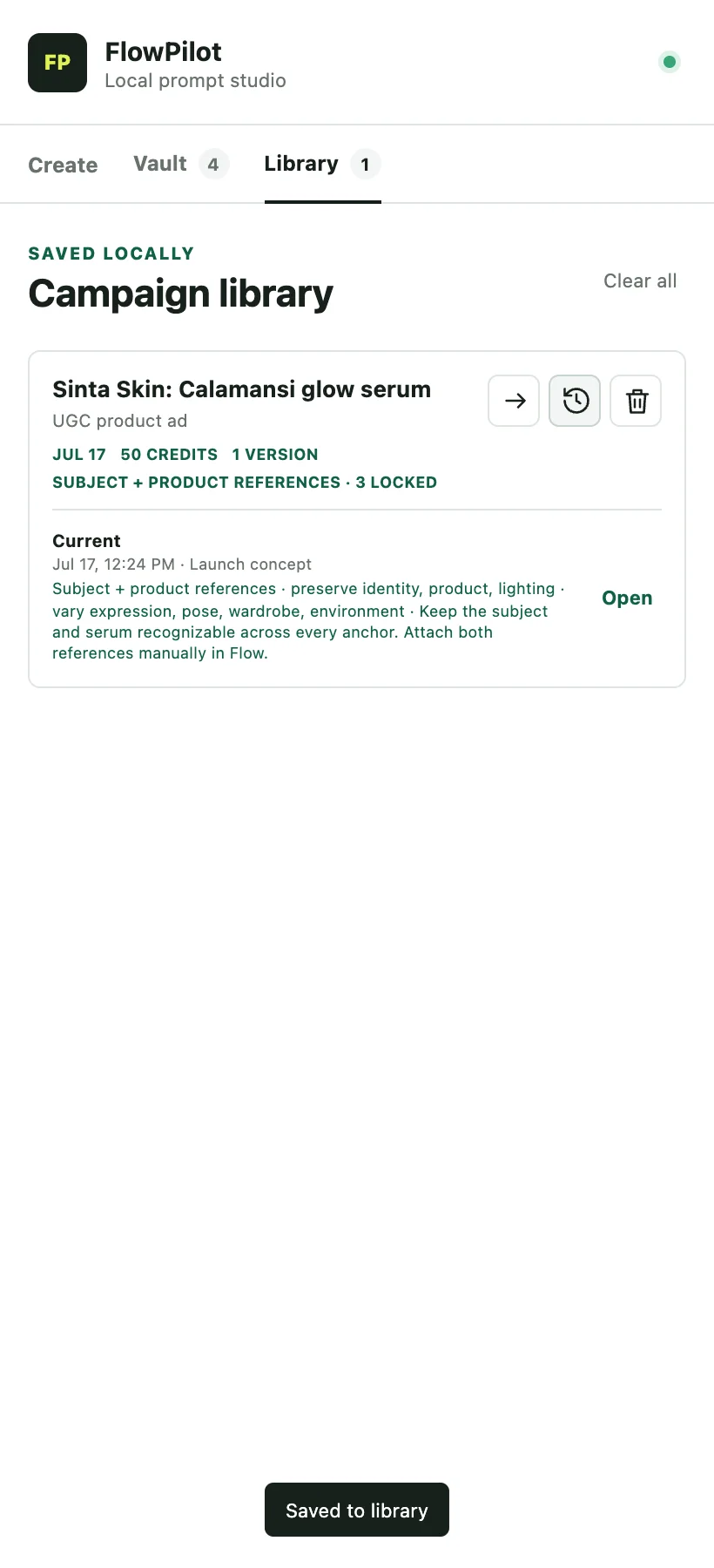
History
Save immutable prompt versions, reopen an earlier brief, and build forward without rewriting or overwriting the process that got you there.
Earlier versions remain intact.Optional recipe packs
Paid packs expand the workflows inside FlowPilot. They do not include Google Flow access, subscriptions, or credits.
Included free

Hooks, demos, objections, proof-led B-roll, routines, founder stories, and conversion-focused creator ads.

Storefront welcomes, staff intros, behind-the-scenes process, service highlights, FAQs, events, and offers.

Product and creator anchors, approved angles, lifestyle scenes, unboxings, demos, and continuity workflows.
Get all three packs in one launch bundle and save PHP 98 compared with buying each pack separately.
Launch batch
Submit the Google Form, complete GCash payment, and receive your text-only JSON pack by email after verification.
The form stays open while launch capacity remains and closes after 50 verified paid orders.
Single-user license. Use the recipes in your own work; do not share, redistribute, or resell the JSON files.
Payment safety. Never send your GCash PIN or OTP.
Local-first trust
The extension has no developer backend, analytics, ads, account system, or remote prompt processing.
Read the website and extension privacy policyFlowPilot does
FlowPilot does not
FAQ
FlowPilot is a prompt workspace. It does not sell generations, bypass quotas, or pretend to be Google Flow.
No. FlowPilot prepares structured image and video prompt text. You copy that text into Google Flow, attach any references there, and submit the generation yourself.
No. FlowPilot does not read, scrape, inject into, click, or control Google Flow. It has no host permissions or content scripts. The Open Flow control is only a user-initiated navigation shortcut.
No. Compilation is deterministic local text substitution, so FlowPilot needs no paid LLM API, developer backend, or FlowPilot account.
No. FlowPilot and its optional recipe packs do not include Google Flow access, subscriptions, or generation credits.
Drafts, kits, recipes, imported pack metadata, and campaign history are stored in Chrome's local extension storage on your device.
No. The free extension includes nine built-in recipes, three starter recipes, and the local compiler. Paid packs are optional workflow expansions.
After GCash payment verification, the text-only JSON pack is sent by email. You then import the file into the FlowPilot Vault.
No. A purchase is licensed to one user. You may use its recipes in your own work, but you may not share, redistribute, or resell the JSON pack.
No. FlowPilot is an independent ELabs product and is not affiliated with or endorsed by Google.
FlowPilot by ELabs